Skip to content

Everything a venue runs on

From the first roster to the last pay run, each part of Halmsian shares the same people, venues and records.

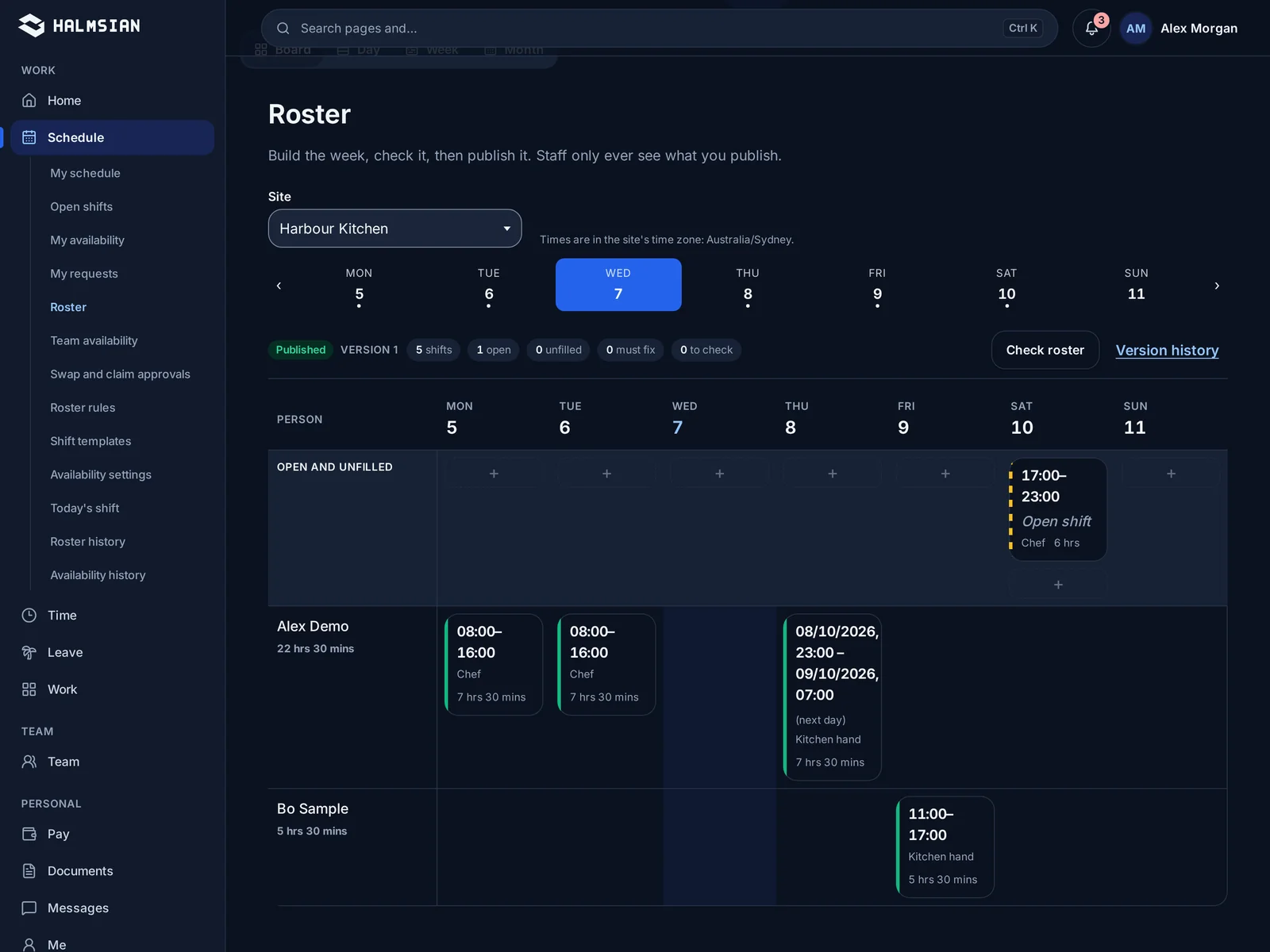
The weekly roster view with shifts laid out by role and day

RosteringStarter and up

Build the week in one sitting

Lay out shifts by venue, area and role, see labour cost as you go, and publish to every phone at once. Staff see their shifts, swaps and changes without a group chat.

  • Shifts by venue, area and role
  • Labour cost while you build
  • Publish and notify in one step
  • Shift swaps that need a manager's yes
Clock in/out and kioskStarter and up

Start the shift where the work is

Staff clock in from their phone or a shared kiosk at the venue. Each clock event is matched to the rostered shift, so late starts and missed breaks show up the same day.

  • Phone or shared venue kiosk
  • Matched to the rostered shift
  • Breaks recorded as they happen
  • Exceptions flagged for review
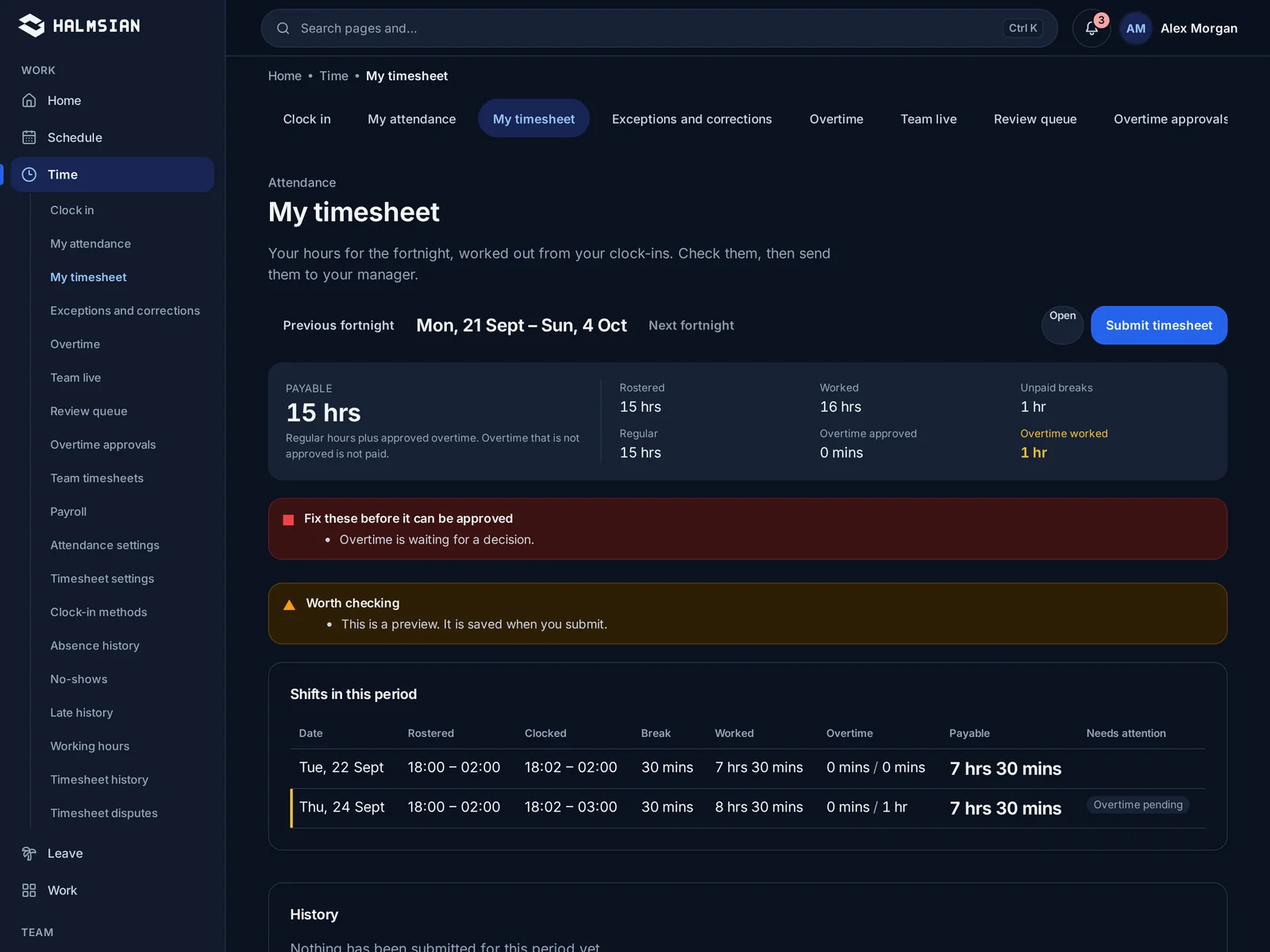
Timesheets lined up against rostered shifts for approval

TimesheetsStarter and up

Timesheets that start from real clock events

Timesheets build themselves from clock events and the pay rules you set up for your award or agreement. Managers review exceptions, not every line.

  • Built from clock events
  • Pay rules you configure for your award or agreement
  • Review by exception
  • Locked once approved
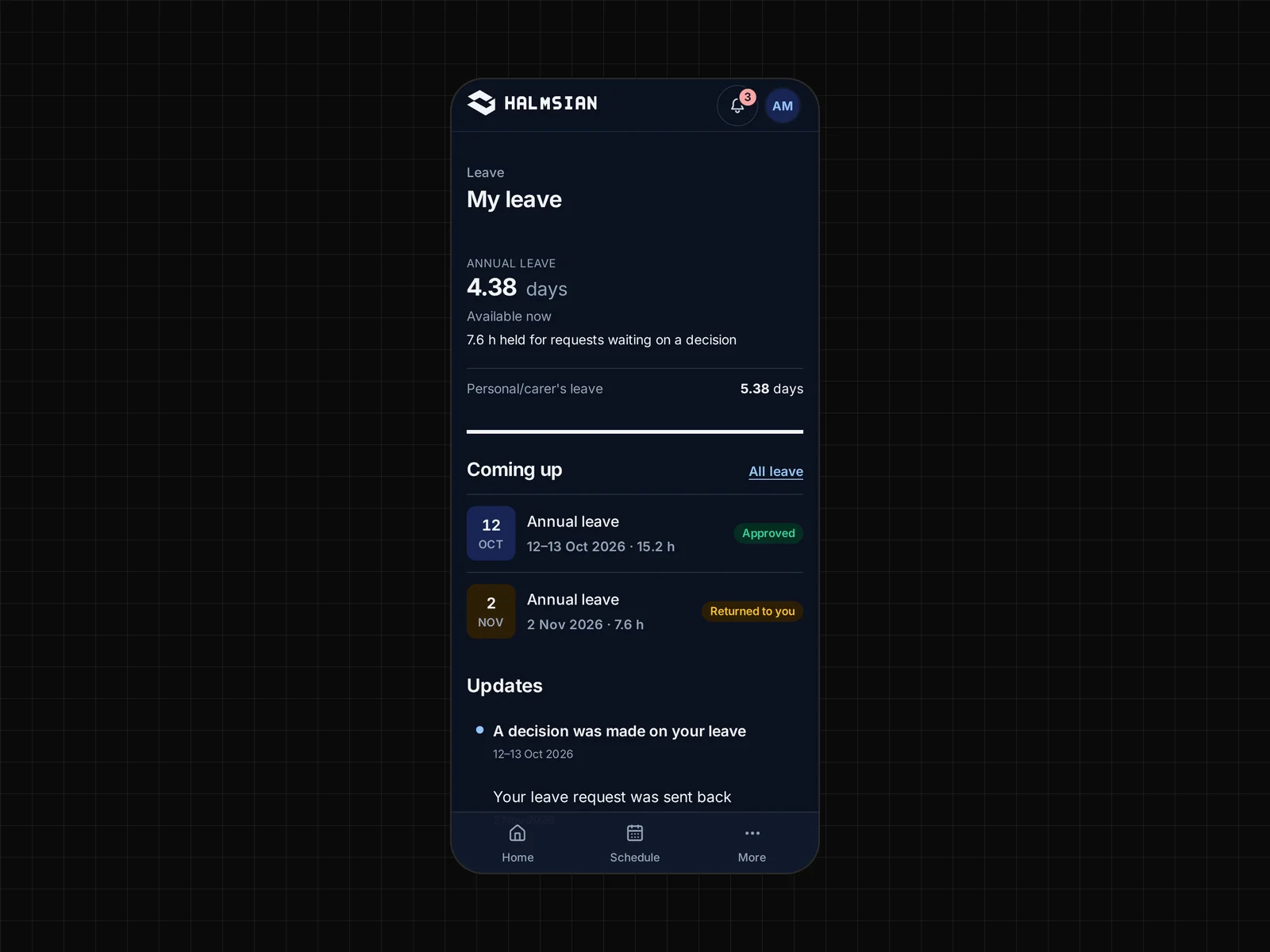
A leave request shown on the staff app with its approval status

LeaveStarter and up

Leave requests with the roster in view

Staff request leave from the app. Managers approve it with the roster beside the request, so cover is sorted before anyone says yes.

  • Requests from the staff app
  • Roster shown beside each request
  • Balances kept with the employee record
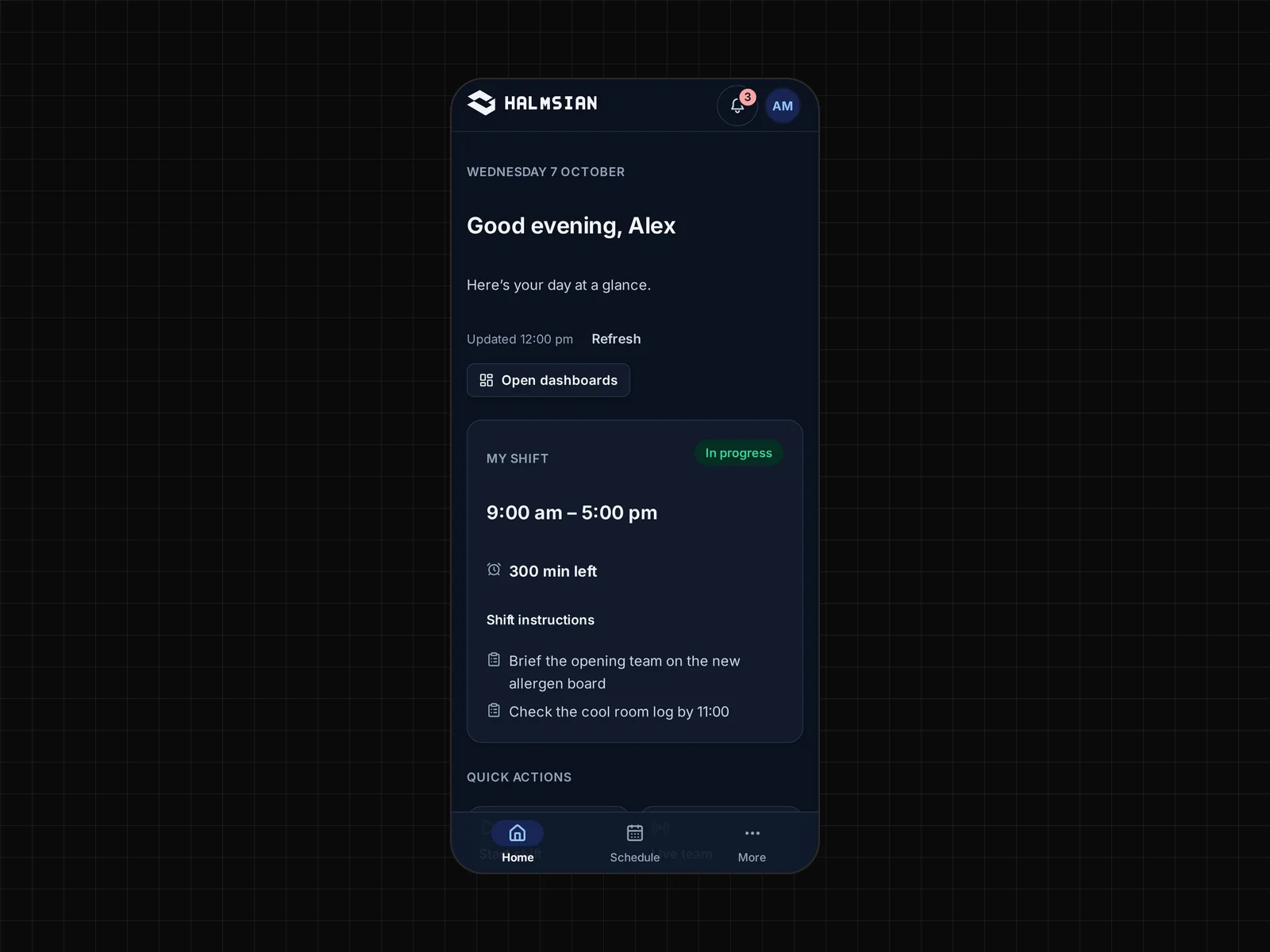
The staff app on a phone showing today's shift and its instructions

Staff appStarter and up

Everything a staff member needs, on their phone

Shifts, clock in, leave and documents in a web app that works on any phone browser. Native iPhone and Android apps are on the way.

  • Works in any phone browser
  • Shifts and changes as they happen
  • Clock in, leave and documents
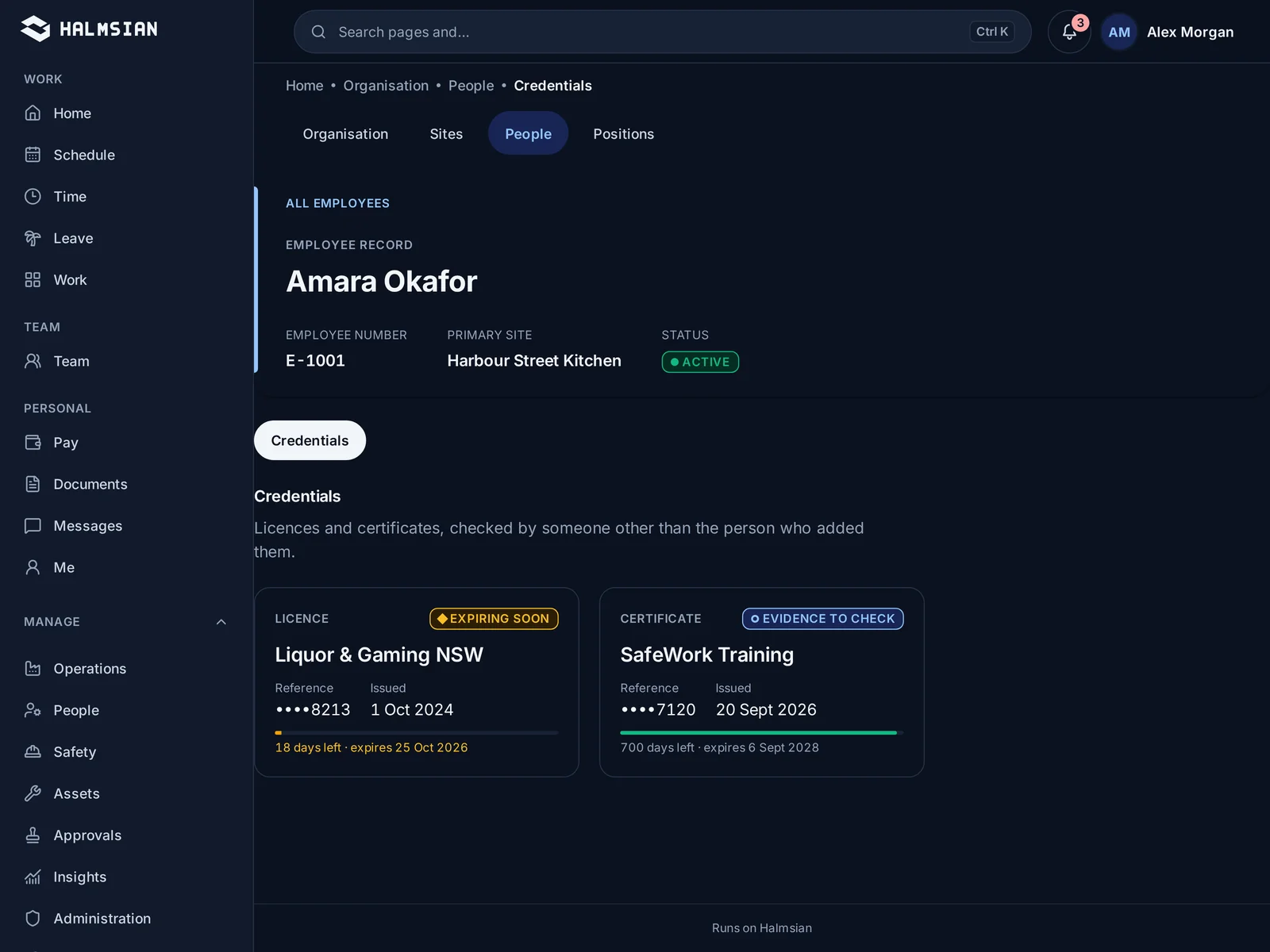
An employee profile with stored documents and expiry dates

HR and documentsBusiness and up

One record per person, from first day to last

Employee details, contracts, certificates and their expiry dates sit with the person they belong to. Access follows the role of whoever is looking.

  • Contracts and certificates on file
  • Expiry dates tracked
  • Access by role
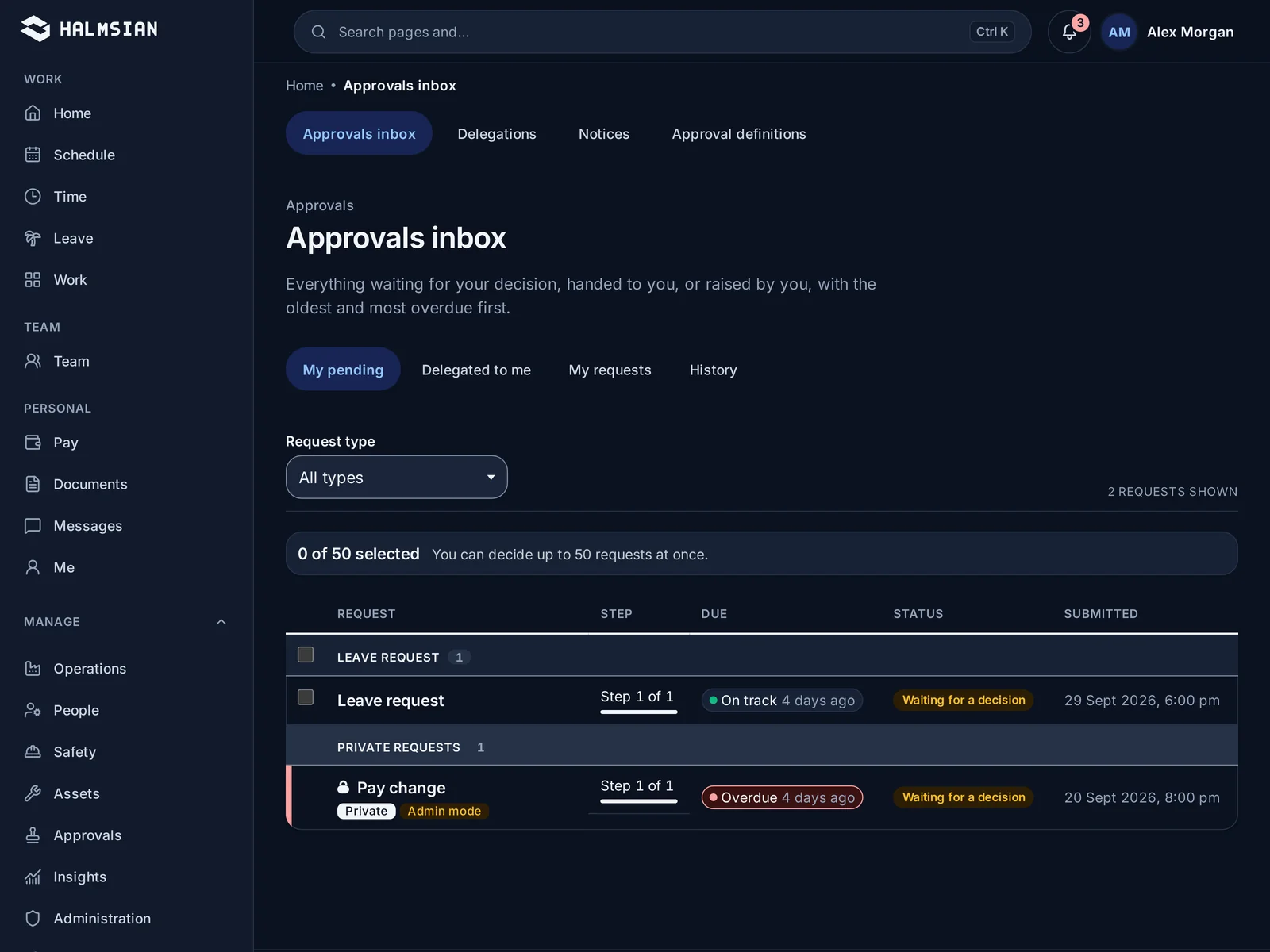
The approvals queue grouping requests by type

ApprovalsBusiness and up

Every request in one queue

Leave, shift swaps, timesheet changes and document sign-offs land in one approvals queue, routed to the right manager for each venue.

  • One queue for every request type
  • Routed by venue and role
  • Every decision recorded
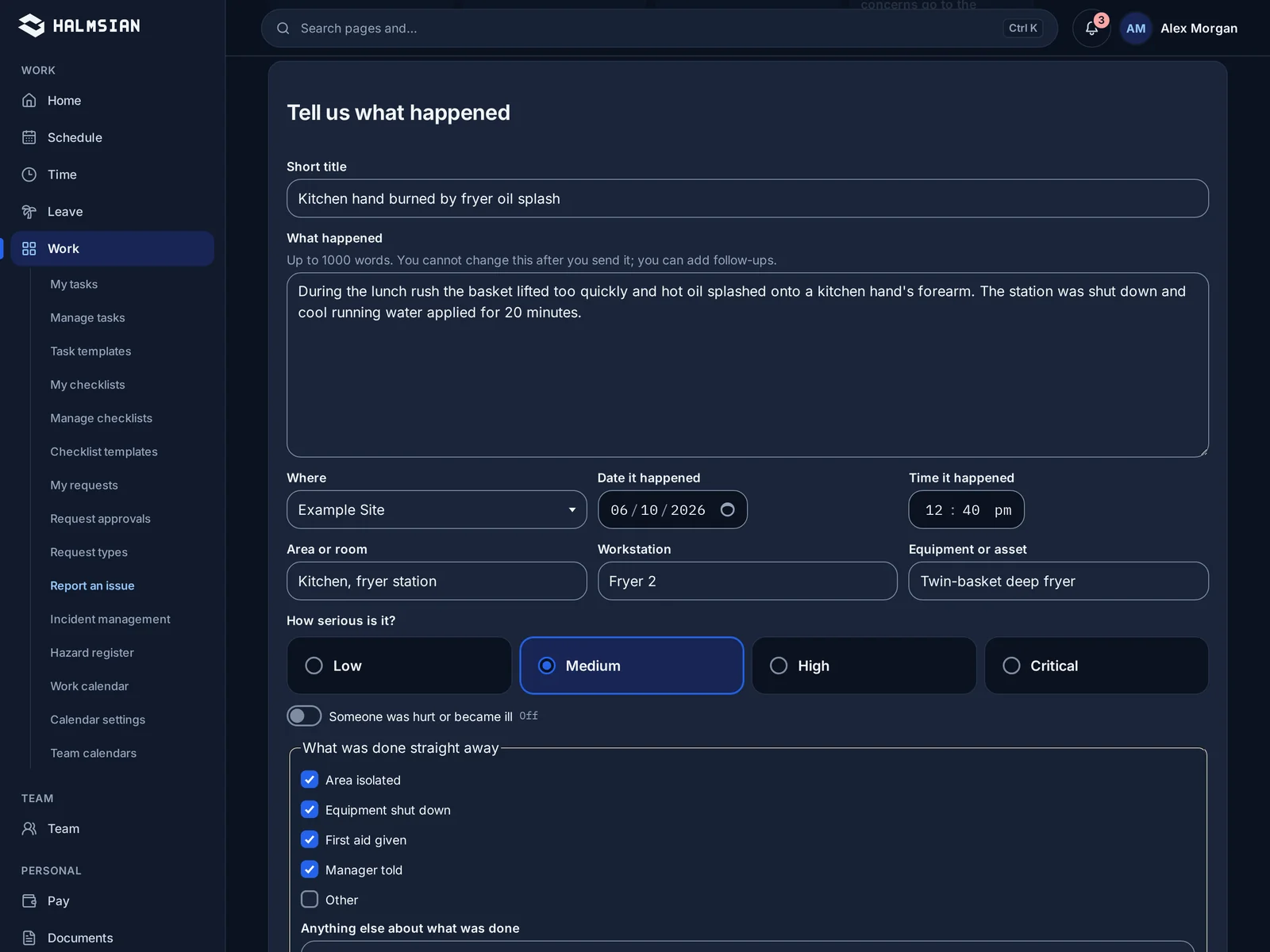
An incident report form with location, people involved and follow-up actions

WHS and incidentsBusiness and up

Report it on the night, follow it up properly

Staff log incidents and hazards from the venue as they happen. Managers assign follow-up actions and keep the record together until it is closed.

  • Incident and hazard reports
  • Follow-up actions with owners
  • A full record from report to close
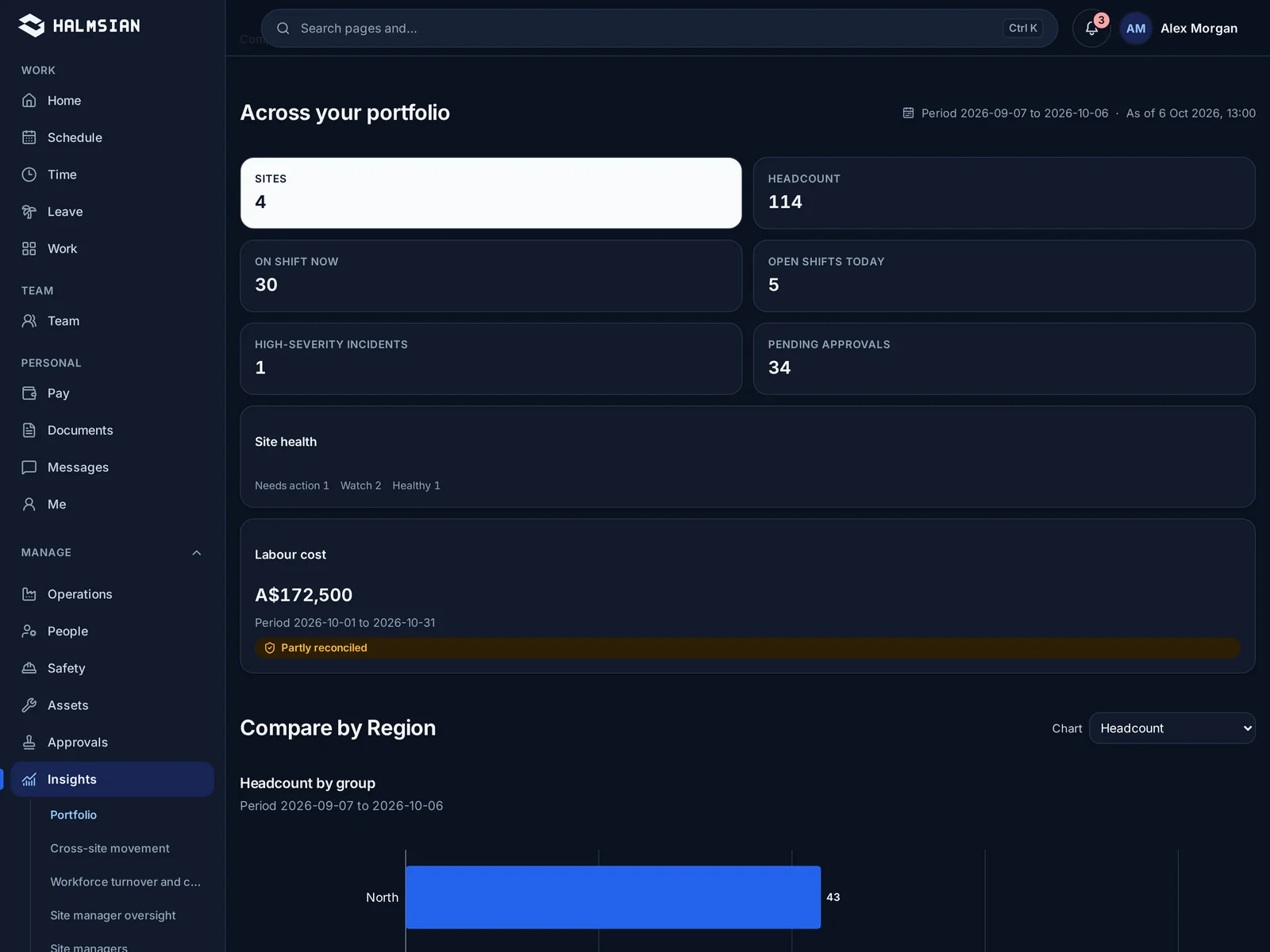
A general manager dashboard covering several venues

Manager dashboardsBusiness and up

The right view for each level of the business

Supervisors, site managers, managers and general managers each see the venues and numbers their role covers. The same capability, filtered by permission.

  • Supervisor, Site Manager, Manager and GM views
  • Scoped to the venues each role covers
  • Labour, attendance and approvals at a glance
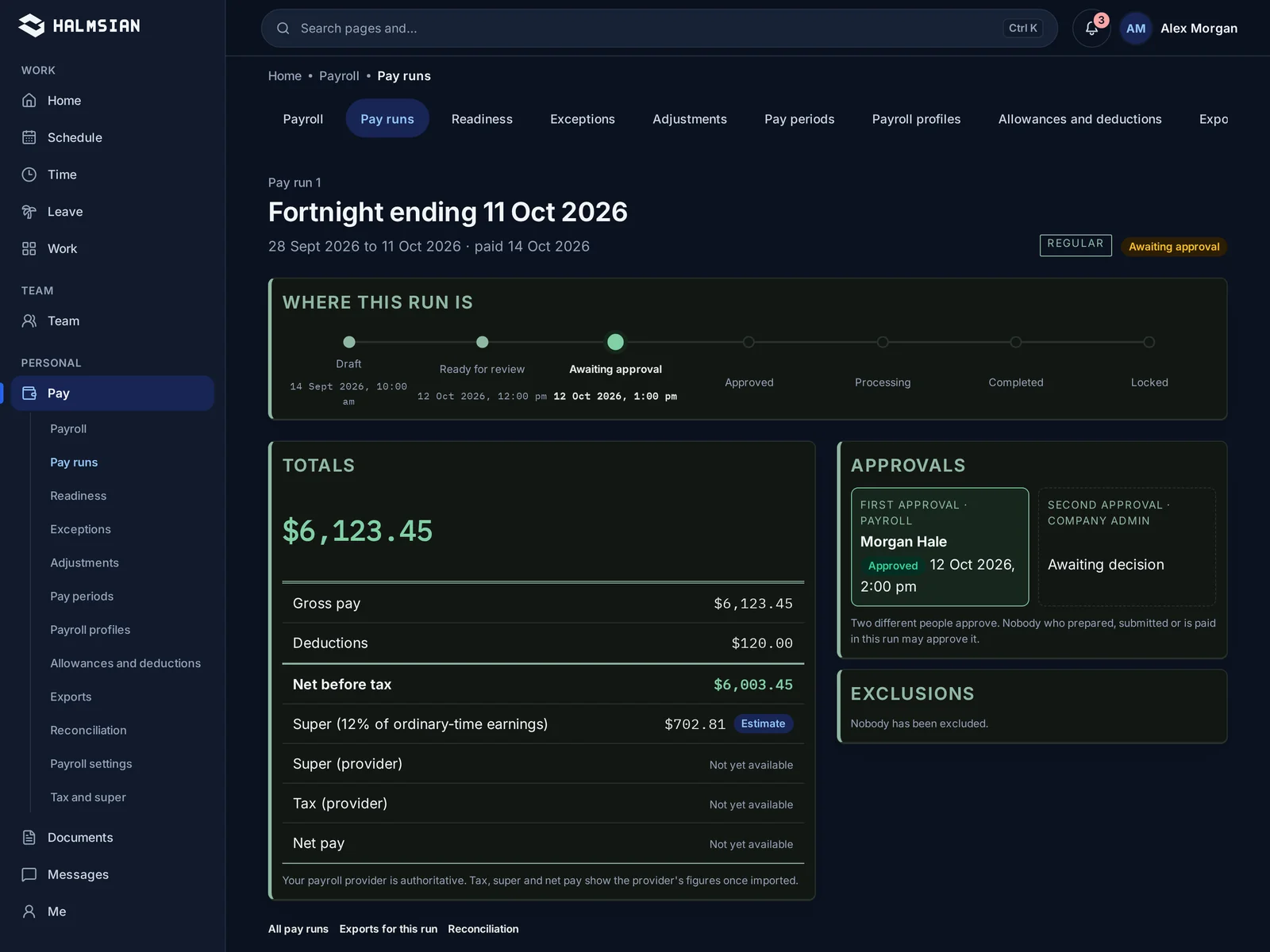
A pay run summary ready for review

PayrollEnterprise only

From approved timesheets to a pay run

Approved timesheets flow into payroll without re-keying. Review the pay run, then process it or export to Xero or MYOB.

  • Approved hours flow straight in
  • Review before you process
  • Export to Xero or MYOB
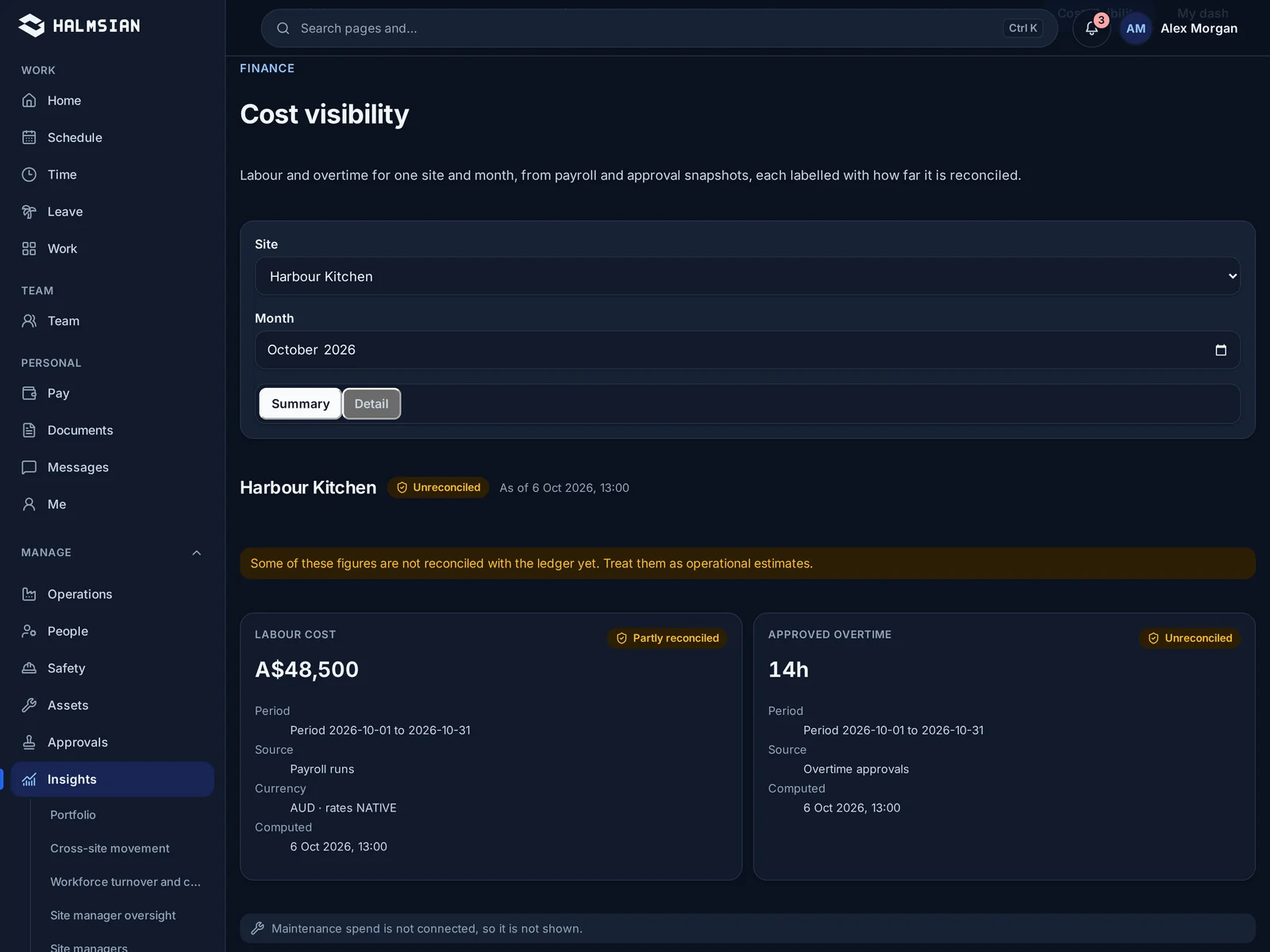
Labour cost and approved overtime for a venue for the month

FinanceEnterprise only

Labour cost next to the sales it supports

See labour and overtime cost for each venue and month, keep supplier bills and expense claims in order, and bring sales in from Square or Oracle MICROS Simphony.

  • Sales from your point of sale
  • Labour cost against sales
  • By venue and by day
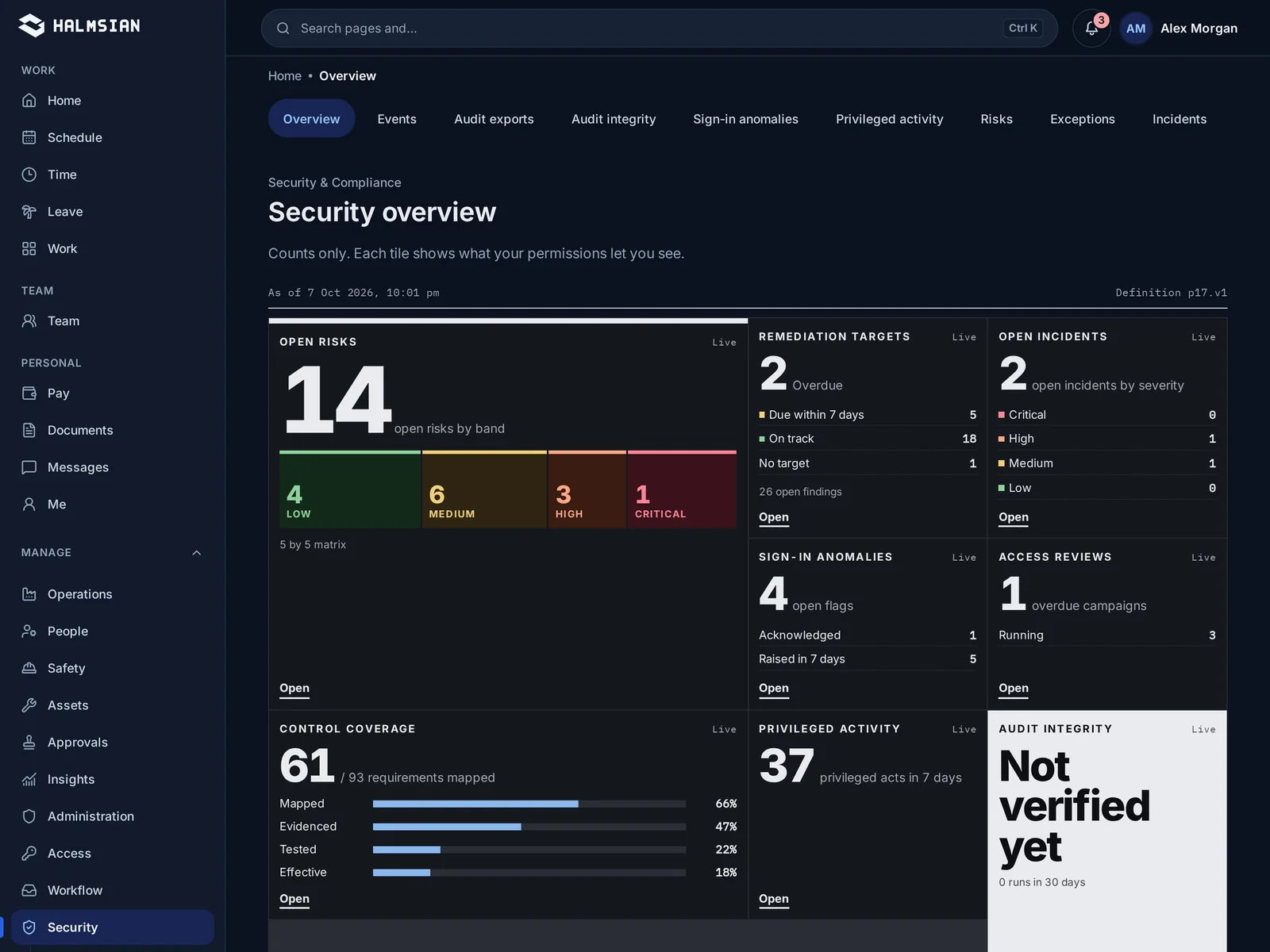
The security centre listing sign-in activity and audit events

Security centreEnterprise only

See who signed in, and what they changed

Sign-in activity, multi-factor settings, risks, incidents and the audit trail in one place, with audit exports for your own records.

  • Sign-in activity
  • Single sign-on
  • Audit exports
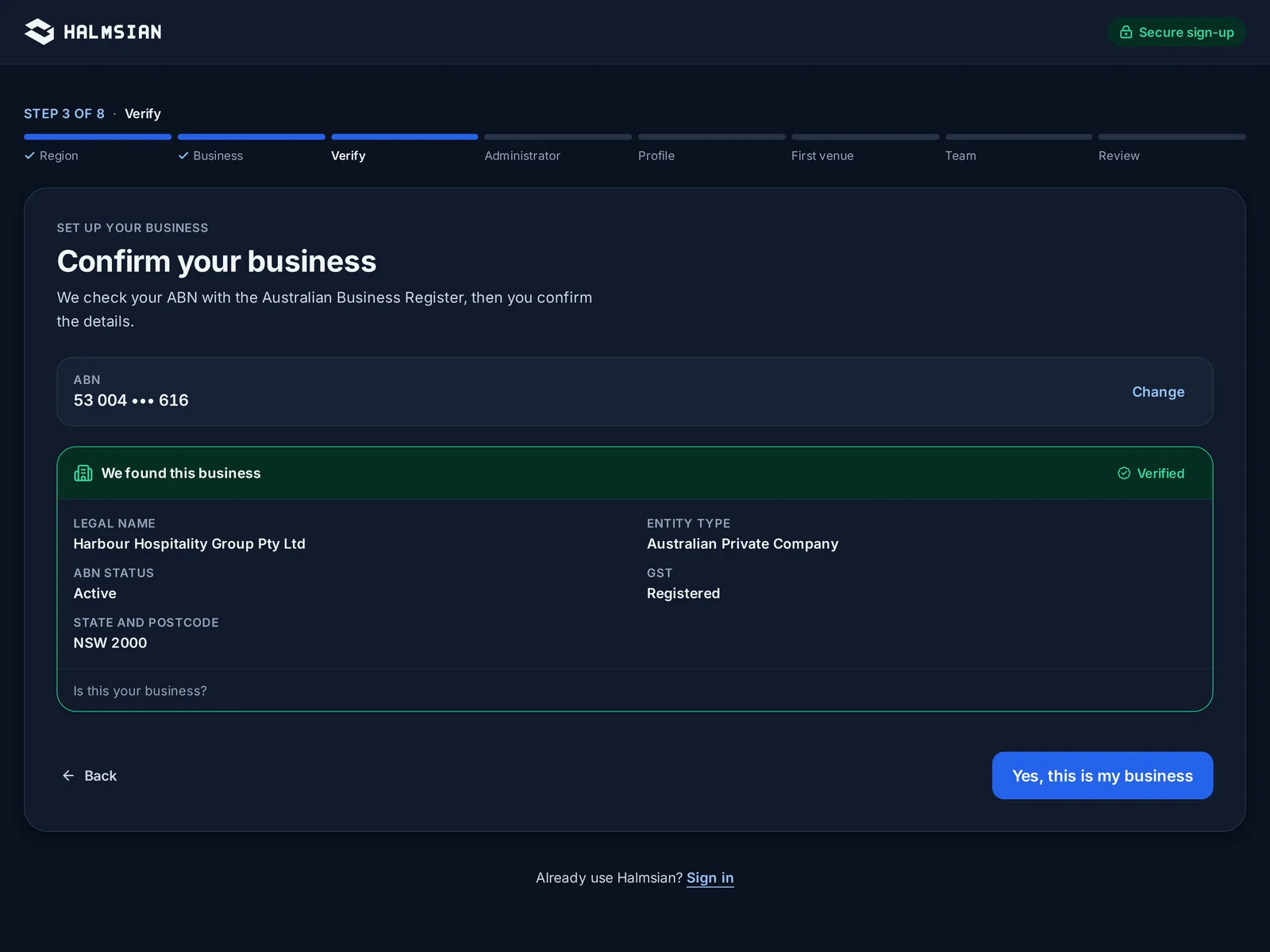
Business sign-up with the ABN verified against the register

ABN-verified onboardingStarter and up

Set up your business with a verified ABN

New businesses sign up with their ABN, which is checked during sign-up, then add venues and invite staff in the same flow.

  • ABN checked at sign-up
  • Venues and staff in one flow
  • Free trial without a card

Run every shift from one system

Choose Starter or Business after setup and try it free for 14 days. No card needed.