Skip to content

For cafés

Rosters that fit the morning rush

Cafés run on tight windows and small teams. Halmsian keeps the roster, clock-ins and timesheets in one place, so the owner is not rebuilding the week on a Sunday night.

What cafés need from a roster

  • Short, overlapping shifts

    Build split and overlapping shifts by role, and publish them to every phone at once.

    About rostering
  • Clocking in at the counter

    A shared kiosk on the counter records each start and finish against the roster.

    About clock in/out and the kiosk
  • Timesheets on a Monday

    Hours come from clock events, so Monday is a review, not a rebuild.

    About timesheets

The features that matter most

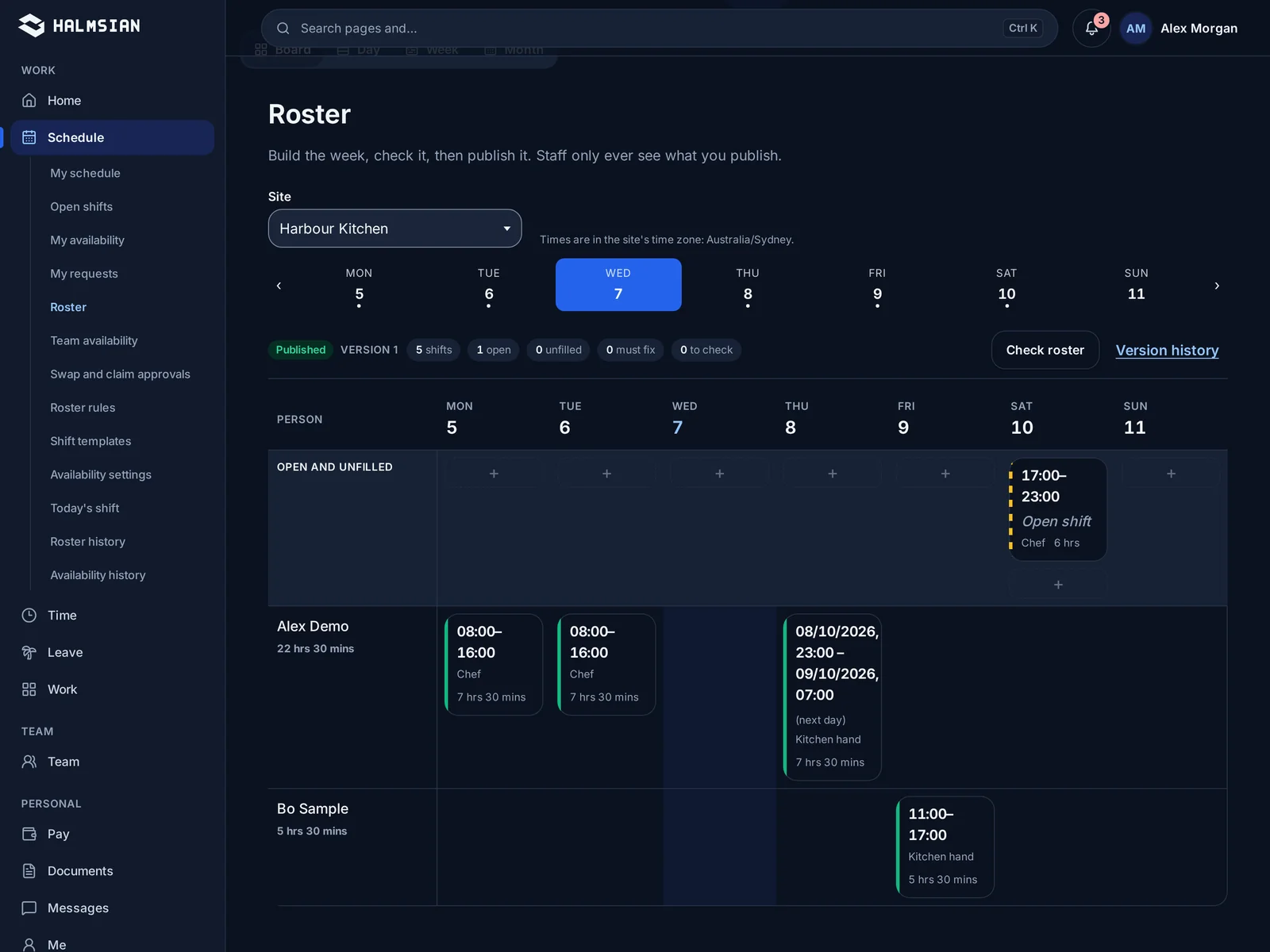
The weekly roster view with shifts laid out by role and day

RosteringStarter and up

Build the week in one sitting

Lay out shifts by venue, area and role, see labour cost as you go, and publish to every phone at once. Staff see their shifts, swaps and changes without a group chat.

  • Shifts by venue, area and role
  • Labour cost while you build
  • Publish and notify in one step
  • Shift swaps that need a manager's yes
More on rostering

Clock in/out and kioskStarter and up

Start the shift where the work is

Staff clock in from their phone or a shared kiosk at the venue. Each clock event is matched to the rostered shift, so late starts and missed breaks show up the same day.

  • Phone or shared venue kiosk
  • Matched to the rostered shift
  • Breaks recorded as they happen
  • Exceptions flagged for review
More on clock in/out and the kiosk
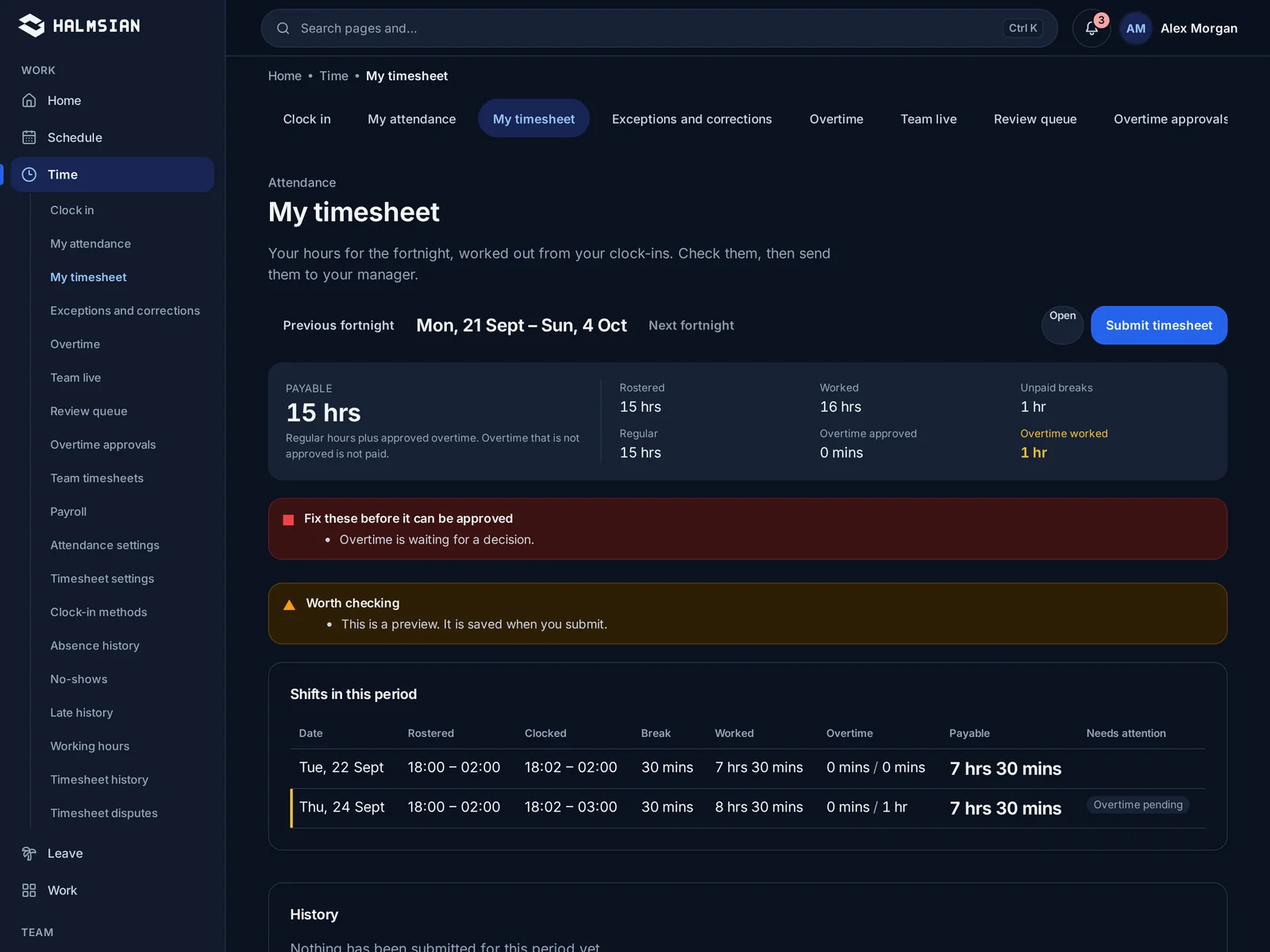
Timesheets lined up against rostered shifts for approval

TimesheetsStarter and up

Timesheets that start from real clock events

Timesheets build themselves from clock events and the pay rules you set up for your award or agreement. Managers review exceptions, not every line.

  • Built from clock events
  • Pay rules you configure for your award or agreement
  • Review by exception
  • Locked once approved
More on timesheets

Run every shift from one system

Choose Starter or Business after setup and try it free for 14 days. No card needed.